Build the set.
Lay out a floor plan and give every decision a place to begin.
 SetLabFollow the beta
 A DESKTOP APP FOR FILM PRE-PRODUCTION
For DPs and gaffers: plan with 686 real lamps and photometric data, read light in foot-candles (fc), frame with real lenses, and take one scene from blocking to crew PDFs.
WINDOWS & MACOS WORKS FULLY OFFLINE
01 / THE WORKFLOW
Plan the blocking. Place the camera. Measure the light.
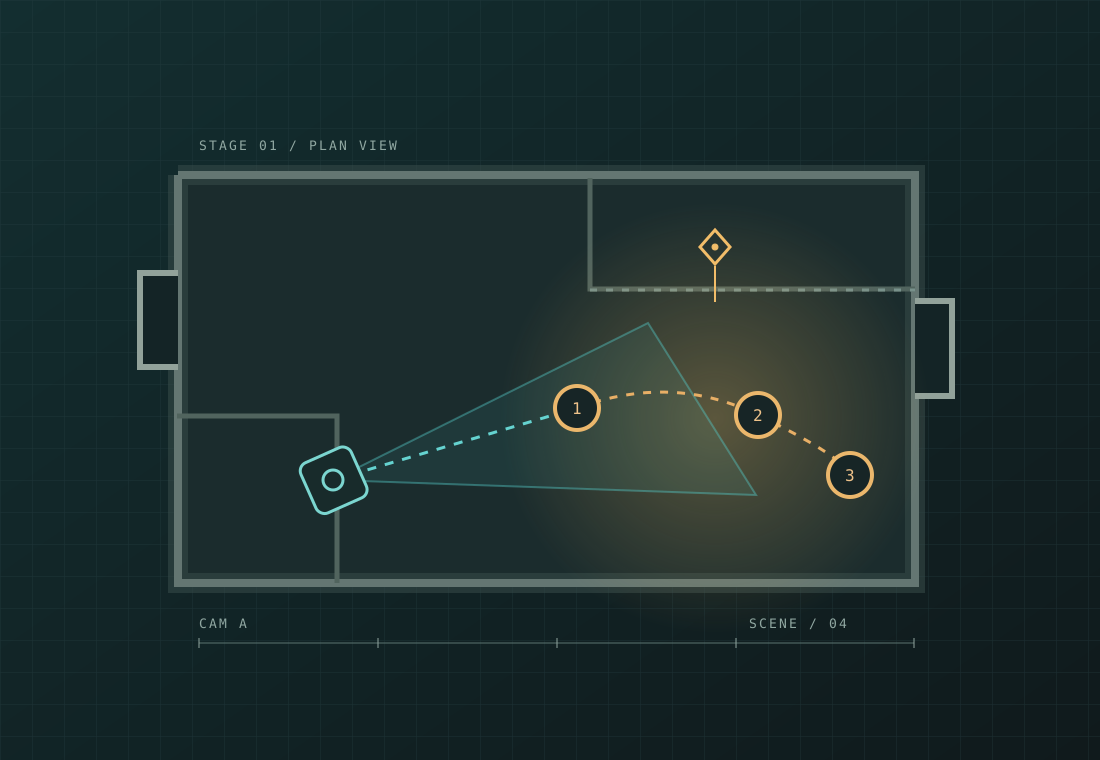
Build the floor plan and block actors over time. Place camera setups with real lenses, choose from 686 real lamps with photometric data, and read the light in foot-candles. Play the scene on a timeline, then export a shot list, blocking, pre-light plan and set plan for the crew.
Lay out a floor plan and give every decision a place to begin.
Place actor marks over time and play the scene on a timeline.
Place camera setups and work with real lenses as the scene unfolds.
Choose from 686 real lamps with photometric data and read the light meter in foot-candles (fc).
02 / FROM PLAN TO CREW
Explore movement on a timeline, then export PDF documents for the people who will make the scene happen.
03 / MADE FOR YOUR COMPUTER
SetLab is a native desktop app for Windows and macOS. It works fully offline.
No account. No cloud. No telemetry. Your planning stays on your computer.
04 / WHO MADE IT
Gabriel Wagon is a cinematographer who teaches cinematography at Maale Film School in Jerusalem. His work includes the feature film Miss Entebbe, the TV series The Secrets of Kinneret, and several short films. He has taught cinematography for about 20 years.
05 / BEFORE YOU START
SetLab is for cinematographers and gaffers planning film scenes: the set, actor blocking, camera setups, lighting and the documents the crew needs.
SetLab is a native desktop app for Windows and macOS. You install it on your computer. This website introduces the app; it is not the planning tool.
No. SetLab works fully offline, with no account, cloud or telemetry. Your scene planning stays on your computer.
Build a floor plan, block actors over time, place camera setups with real lenses, and plan light with 686 real fixtures and photometric data. Read the light in foot-candles and export four crew PDFs: shot list, blocking, pre-light plan and set plan.
Version 12 is in development and adds a full 3D editing canvas. It will be the first version offered to testers. There is no announced release date. The form on this draft site is a demo, and downloads are not available yet.
06 / FOLLOW THE BUILD
Version 12 is in development. Leave your details to hear about the beta when it is ready.
This is a design demo. Nothing entered here is stored or sent.